Leather patterns, cut to the millimeter — every time.
LeatherDraft is an offline app for designing wallet and card-holder patterns. Precise dimensions, stitch-hole calculations and true 1:1 printing — from idea to the cutting bench, no accounts, no cloud.
Every feature is built for the bench: cutting, gluing, punching, hand-stitching.
Millimeters & true 1:1 printing
Canvas in millimeters, a calibration square baked into every PDF — check the printout with a ruler before you cut.
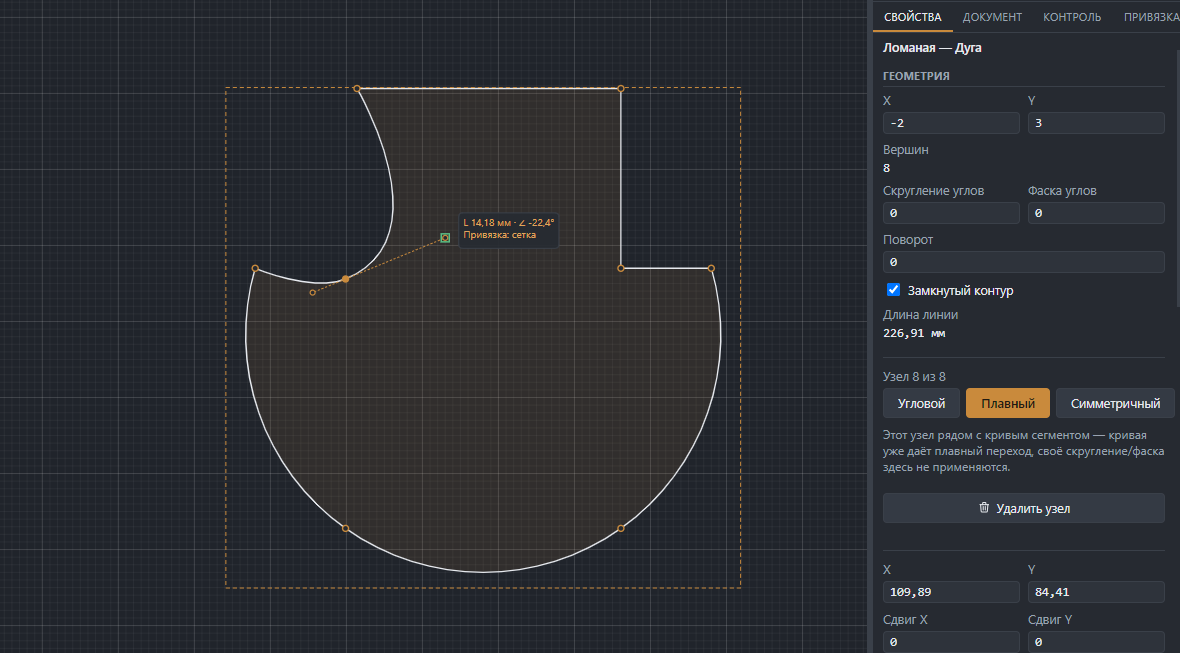
Bézier contours
Open and closed curves, with corner, smooth, rounded or chamfered nodes.
Stitch calculation
Edge margin, spacing and hole count, symmetric edges, and a warning if the spacing doesn't divide evenly.
Hardware
Snaps, magnetic snaps, eyelets, Chicago screws, rivets, card slots — with diameters and notes.
SVG, PDF & STL export
True scale, large pieces auto-tiled across pages with a 5 mm overlap and alignment marks — print straight to PDF on any printer. For 3D printing, export an STL template with stitch and hardware holes built in.
Fully offline
Portable build for Windows and a native build for macOS — no install, no accounts, no cloud, no telemetry. Project files are a plain, readable .ldraft.
What's new in LeatherDraft
Straight out of recent working builds — already in the app, not a concept.
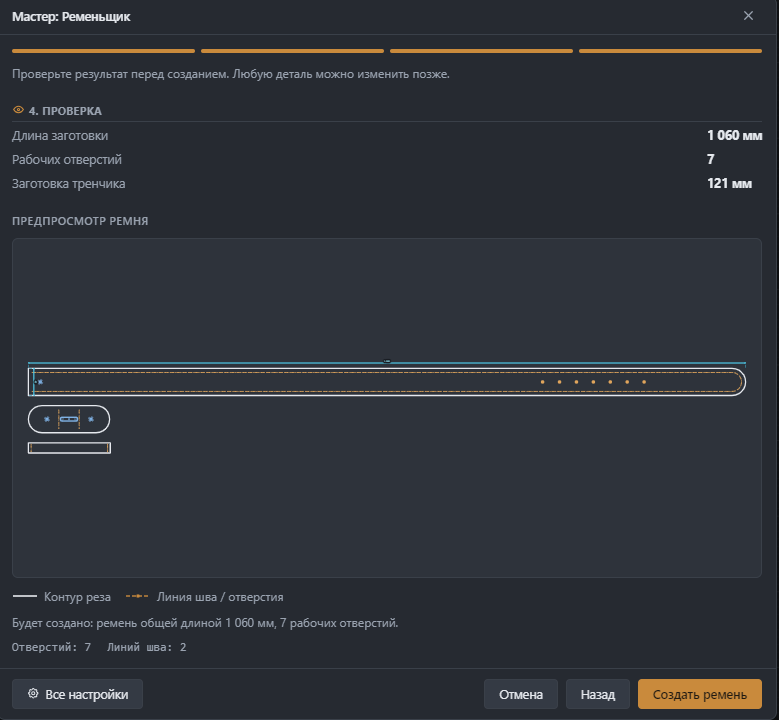
Belt Maker wizard
A parametric belt end to end — waist, buckle, keeper, stitching — and you can reopen an already-created belt and re-edit it, no need to start over just to fix a size.
Precise curve handles
Handle length and angle as exact numbers, not by eye, with snapping to the grid and other geometry. A symmetric node type, one-click contour direction reverse, and tolerance-based simplification.
Pre-cut audit
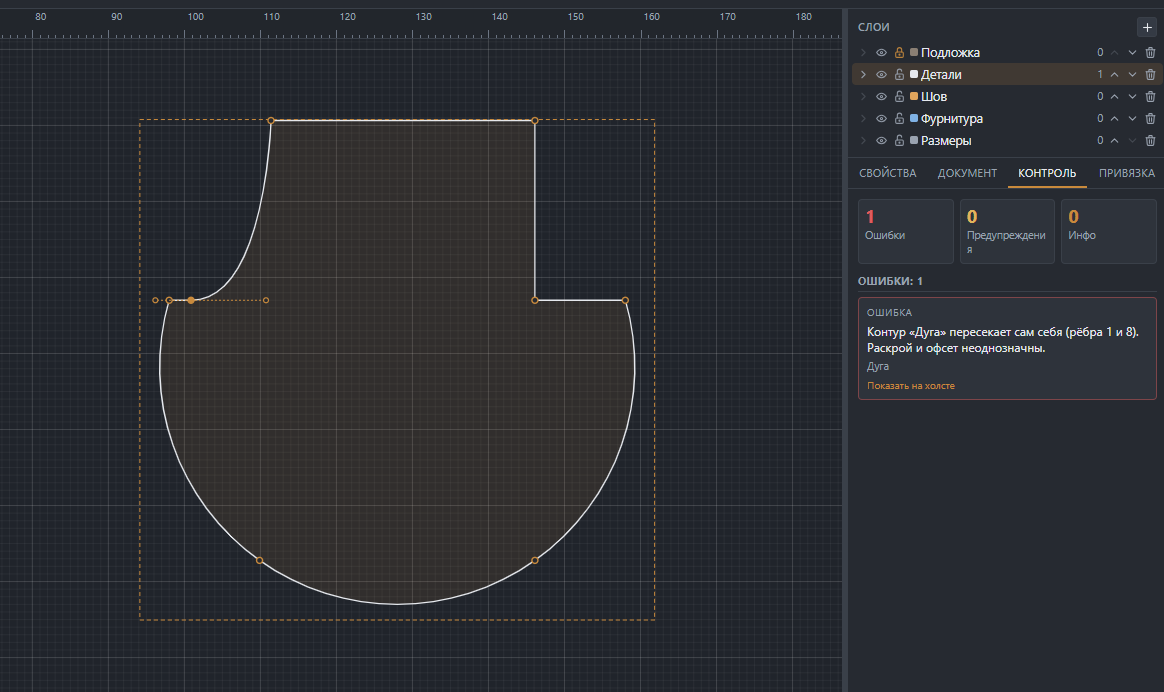
The app finds contour self-intersections, too-tight radii, and unattached hardware on its own — click a finding in the Audit panel to jump straight to it on the canvas.
Why LeatherDraft, not another CAD
Features are just the means. Here's why leatherworkers actually sit down and draft here.
Dimensions are always real
What's on screen is what's on paper. Not a single stray pixel between the sketch and the cut.
Works without the internet
No accounts, no subscription, no dependency on someone else's server — the app never touches the network.
Strictly 1:1 printing
A PDF with a 50×50 mm calibration square — check it with a ruler, pick up the knife, cut.
Your files stay yours
.ldraft is plain, readable JSON on your own disk — not a row in someone else's database.
True-scale SVG
Opens in any vector editor — for your archive, for a laser cutter, for the record.
Made by a leatherworker
Every decision was tested on my own bench, not dreamed up in a sales meeting.
A pattern's journey — from blank page to cutting
Real screenshots at every step — no staged mockups.
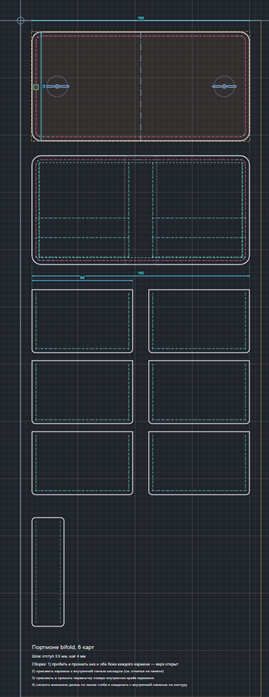
1Draw the piece
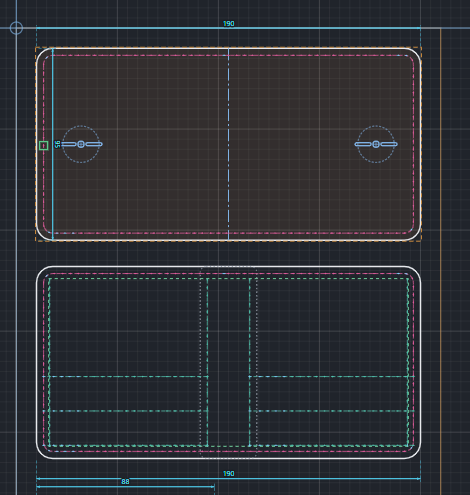
Rectangle or Bézier contour, with rounded or chamfered nodes — in millimeters from the start.
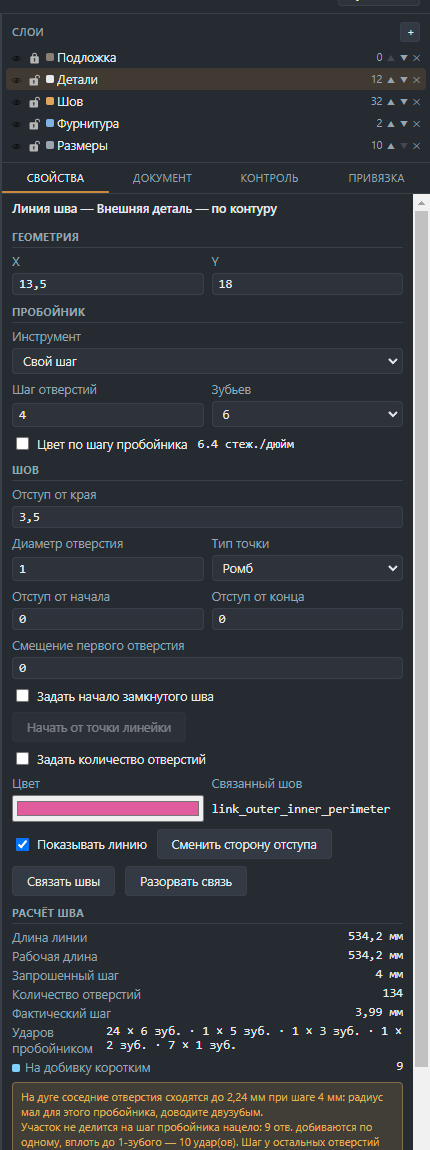
2Lay out the stitch
You set the margin and target spacing — the app works out the run length, hole count and actual spacing.
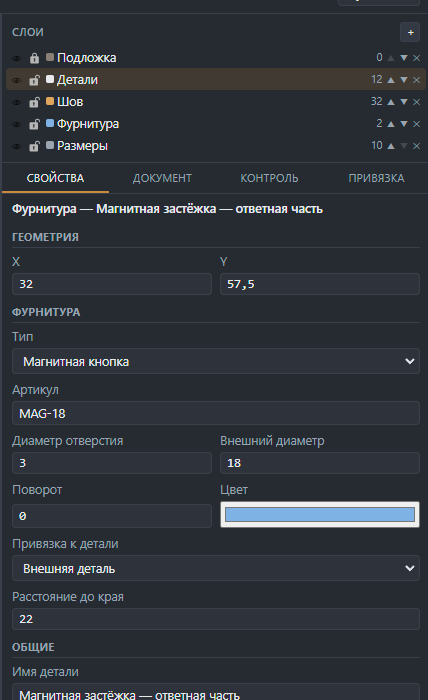
3Add hardware
Snap, magnetic clasp, eyelet, Chicago screw — with hole diameter and attached to the piece.
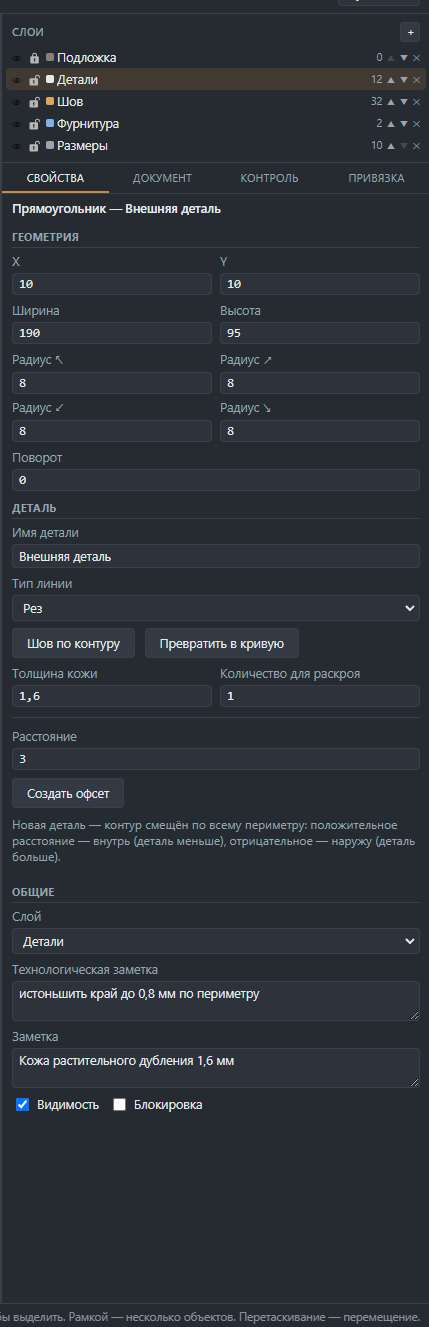
4Export
Leather thickness, number of pieces to cut — then export a PDF with a calibration square or a true-scale SVG.
Recruiting closed
No tester spots available right now
The closed testing group is already full. Thanks to everyone who reached out — once spots open up or the app leaves beta, open recruiting will resume here.